More and more first-line calls are answered by an AI voicebot — a virtual assistant that greets callers, answers questions and routes them. WebRTC Client shows you exactly what the voicebot is doing, live, and lets you step in at any moment.
Follow voicebot calls live
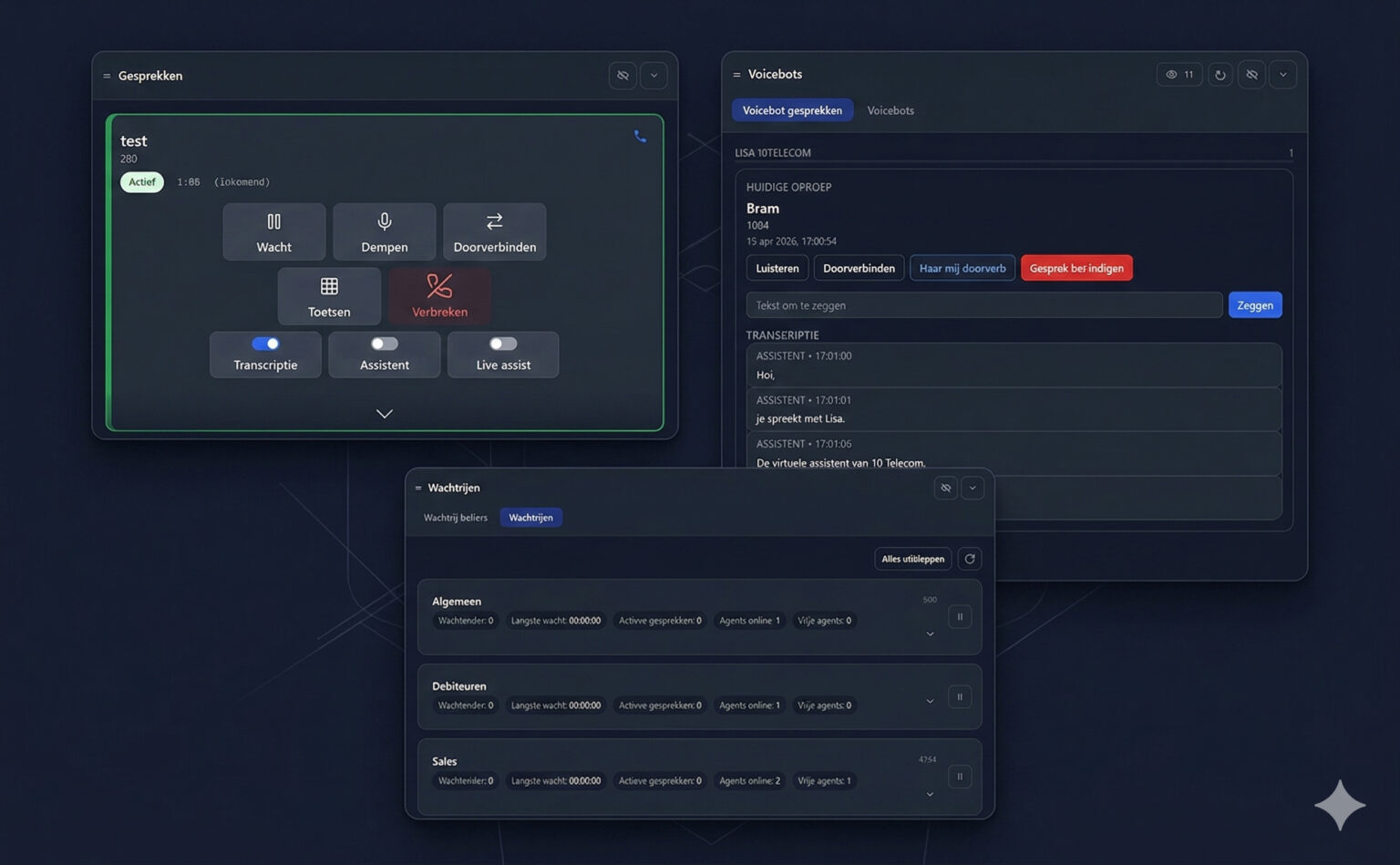
The Voicebots panel lists the voicebot conversations that are going on right now, per voicebot. For each current call you see the caller's name and number, the start time, and a live transcript of what the assistant and the caller are saying.
Step in when needed
| Action | What it does |
|---|---|
| Listen | Listen in on the voicebot call without the caller noticing. |
| Transfer | Transfer the caller to a colleague or another destination. |
| Transfer to me | Take the caller over yourself. |
| End call | End the voicebot call. |
| Say | Type a text and the voicebot speaks it to the caller. |
AI assistant in your own calls
On every call card in the Calls panel you can switch on the Assistant and Live assist for that call, next to live transcription. The assistant works alongside you during the conversation.