The Queues panel in WebRTC Client shows what's happening in your call queues in real time. Teams see at a glance how busy it is, and agents manage their own queue membership without asking an administrator.
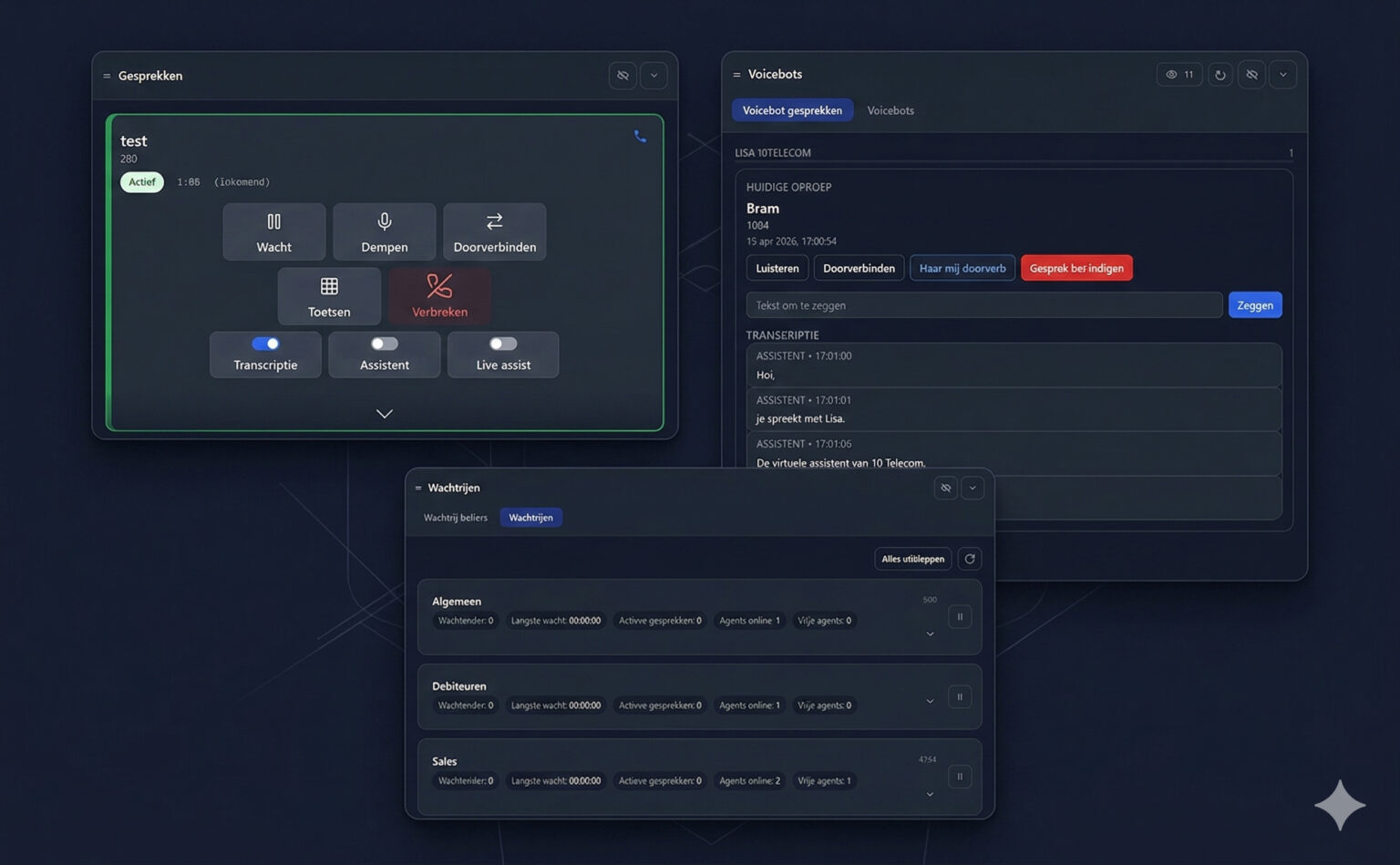
Live figures per queue
| Figure | Meaning |
|---|---|
| Waiting | Number of callers currently waiting in the queue |
| Longest wait | How long the caller who has waited longest has been waiting |
| Active calls | Calls from this queue currently being handled |
| Agents online | Agents logged in to the queue |
| Free agents | Logged-in agents who are available to take a call |
Agent controls
- Pause a queue for yourself — for example during a break or while finishing a call note.
- Log out of all queues in one click at the end of the day.
- Switch between the queue callers view and the queues overview.
Good to know
- Queue figures come from your PBX. Availability of queue information depends on the phone system and its configuration — contact us to check your setup.
- Combine queues with multiple lines, presence and voicebots for a complete overview in one screen.