New in WebRTC Client: multiple lines and live AI transcription
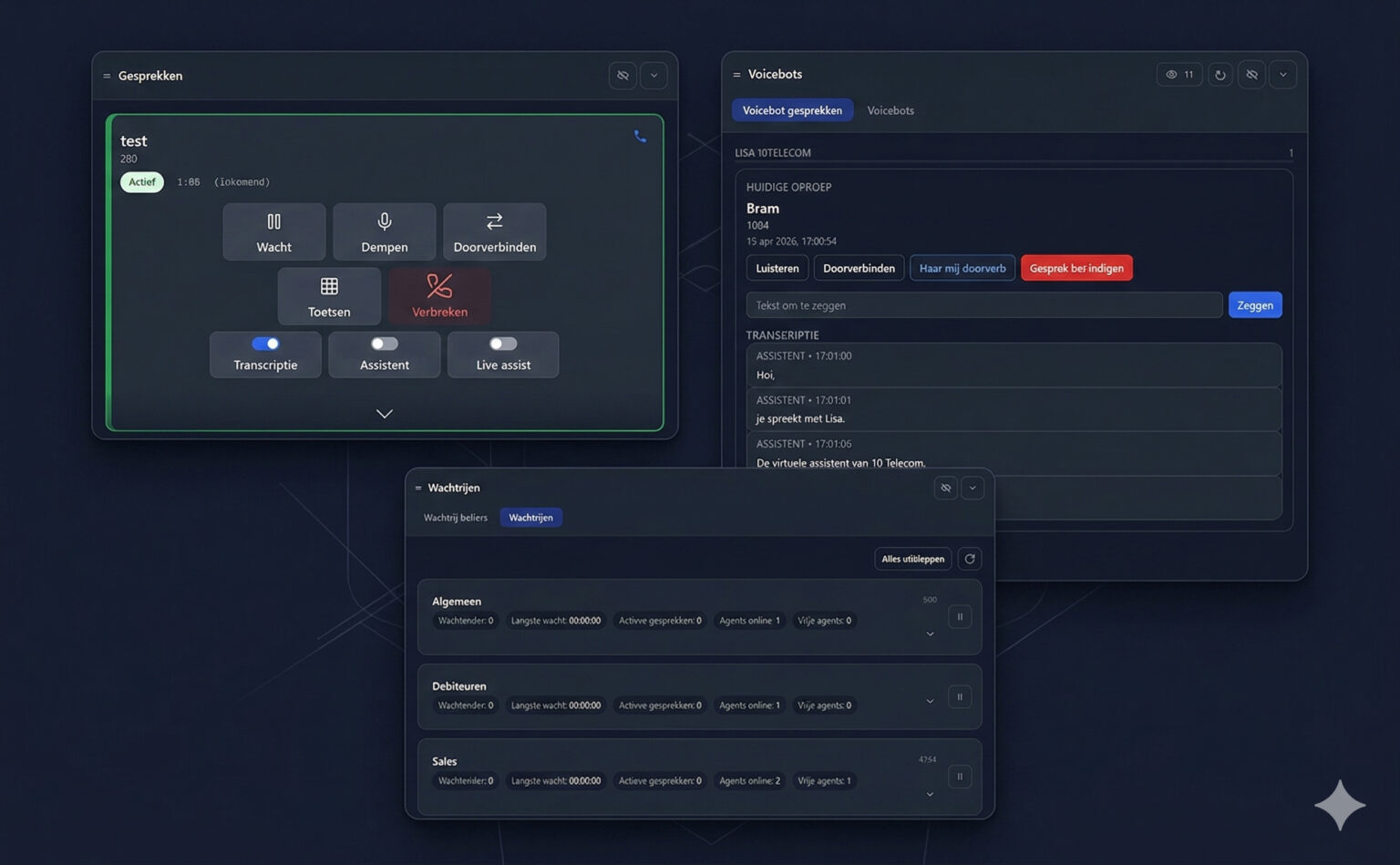
The new WebRTC Client adds multiple lines, live AI transcription, an AI assistant, voicebot monitoring and a queue overview — all in the browser.
Explore why a WebRTC softphone can make browser calling and PBX administration more convenient.
WebRTC makes real-time communication possible in compatible browsers. With a browser softphone and a properly configured PBX, it gives teams a way to make and receive business calls without installing a separate desktop phone application.
A browser-based dialer places calling alongside the web applications people already use. Users need a supported browser, network access and a microphone and speaker or headset. They must also grant microphone permission when prompted. The PBX and client still need to be configured before calling can begin.
WebRTC Client connects to an existing compatible phone system using SIP over WebSocket. That means a business can use its PBX for extension registration and call routing while providing a browser interface to its users. See the compatibility overview for supported systems, including Asterisk, FreePBX and VitalPBX.
WebRTC itself supplies communication capabilities; the application adds the tools a team uses. WebRTC Client includes a web phonebook, presence buttons and speed dials, and a Chrome extension for dialing from tel: links. These features can reduce the need to switch between tools or retype numbers. Read more about call features and click-to-call.
For providers and resellers, managing users across separate customer organizations can be as important as the dialer. The management portal organizes access through system administrator, reseller, customer and user levels. White-label branding and policies offer further ways to tailor the service to customers.
A browser approach does not remove the need to check PBX settings, network connectivity or audio devices. It does provide a common interface for users and a central place to manage the service. The next generation of WebRTC Client is in development, with more to come.

The new WebRTC Client adds multiple lines, live AI transcription, an AI assistant, voicebot monitoring and a queue overview — all in the browser.

Compare the practical considerations of a browser softphone and a desktop application such as Bria.
Use the Click2Tel Chrome extension to send phone numbers from tel links to your WebRTC Client dialer.